Convert Handwritten Invoices to Excel
Stop manually typing out vendor receipts and purchase orders. Our AI accurately extracts line items, quantities, and prices from handwritten invoices into clean, editable .xlsx spreadsheets.
Upload Handwritten Invoice
Supports photos and scans of handwritten invoices, receipts, and purchase orders. We'll extract the line items into Excel.
HandwrittenInvoice.tool_upload_hint
Prices and descriptions separated cleanly
Highly accurate decimal and digit recognition
Easily upload to QuickBooks or Xero
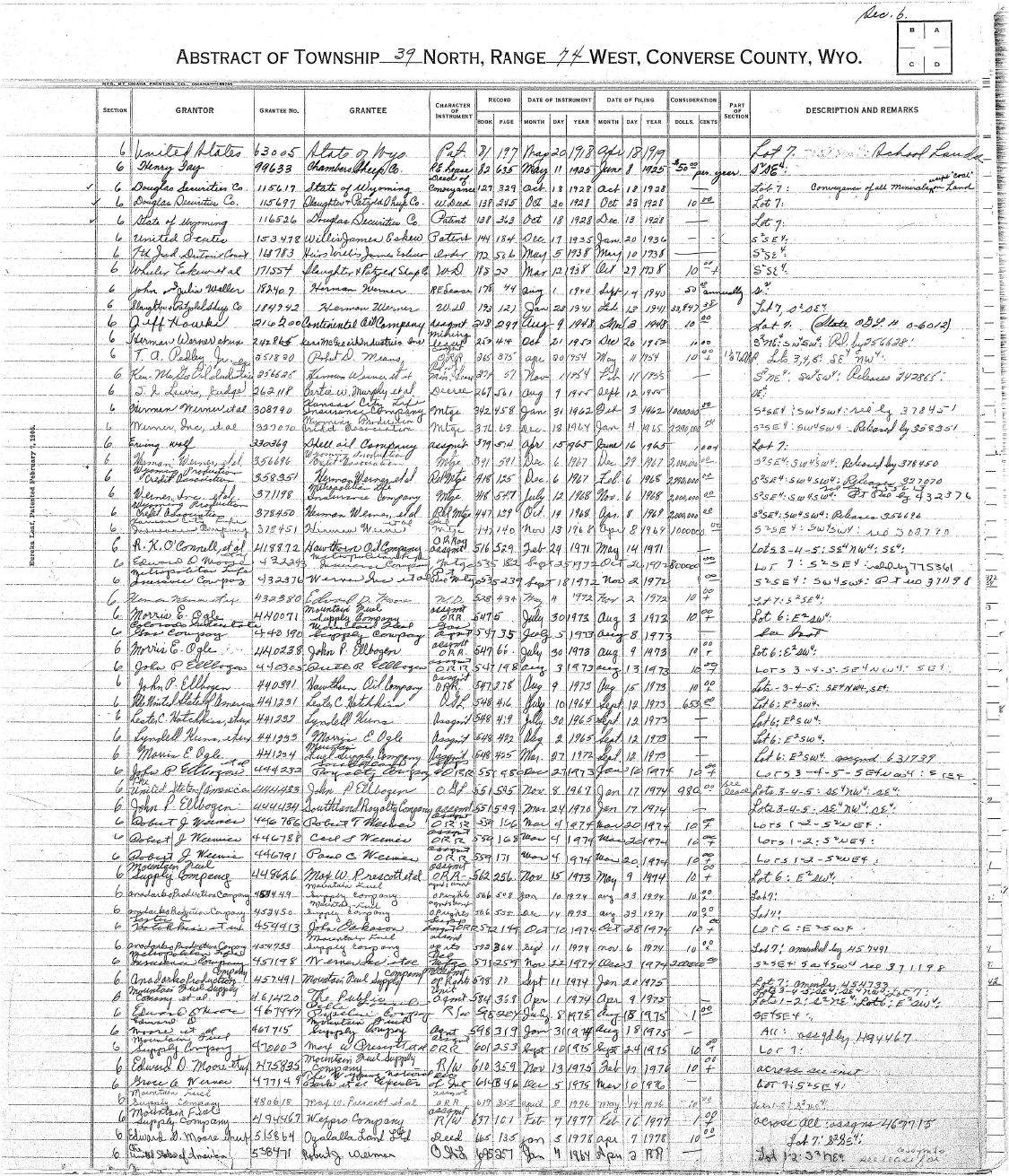
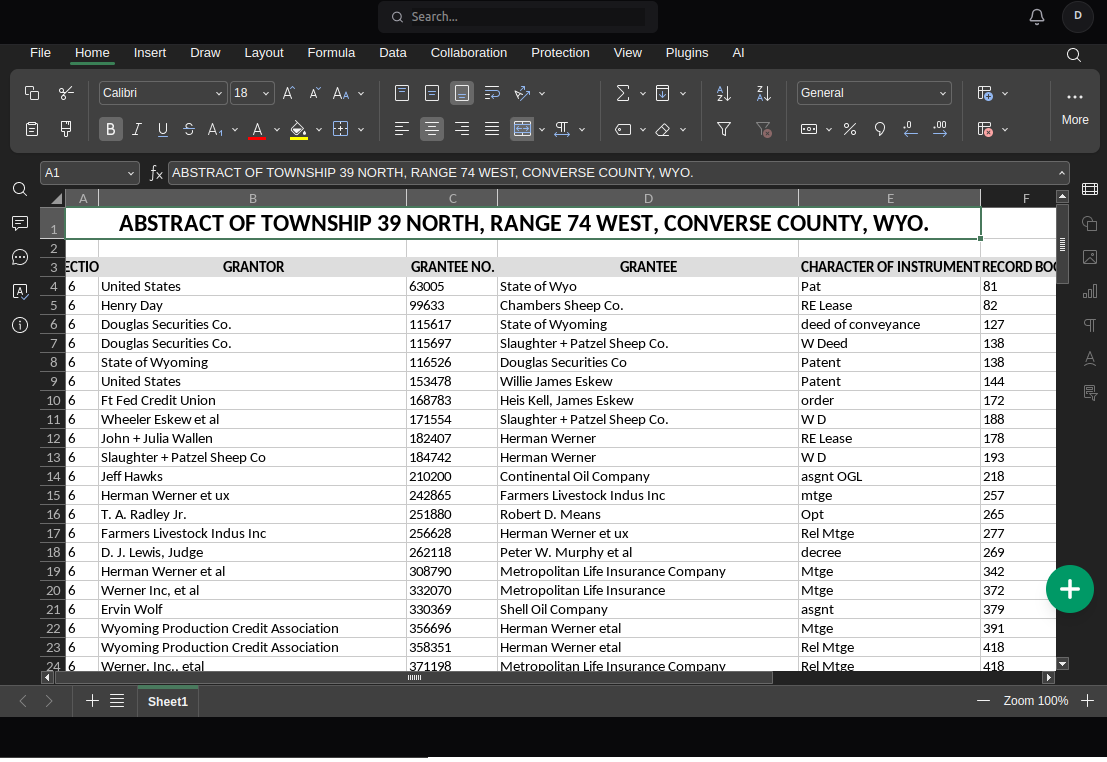
From Paper Receipt to Digital Spreadsheet
Watch our AI perfectly map messy handwritten line items into neat Excel rows.
Who Automates Invoices with NoteOCR?
Built for financial professionals who value their time.
Bookkeepers & Accountants
Process client shoeboxes full of handwritten receipts and paper invoices in minutes instead of hours at the end of the month.
Small Business Owners
Digitize scribbled vendor invoices, contractor bills, and handwritten purchase orders to track your expenses accurately.
Expense Tracking
Convert handwritten restaurant receipts or field expenses into structured CSV files for easy upload to your company's expense software.
Tax Preparation
Quickly tally up physical, handwritten donation receipts or business expenses into a clean Excel ledger for tax season.
Invoice Data Entry Compared
Why manual bookkeeping is burning your profit margins.
| Method | Time per Invoice | Financial Accuracy | Labor Cost |
|---|---|---|---|
| Manual Data Entry | 3-5 minutes | Prone to typos | $20+/hour |
| Standard OCR Apps | 1 minute | Mixes up columns | Varies |
| NoteOCR Invoice Engine | 15 seconds | Perfect row alignment | Free to Try |
Advanced Invoice Extraction
Trained specifically on financial documents and messy numbers.
Line Item Detection
Our AI separates descriptions, quantities, unit prices, and totals into their own distinct Excel columns automatically.
High Numeric Accuracy
Standard OCR struggles with handwritten numbers. We use specialized neural networks to ensure 4s, 9s, decimals, and currency symbols are read perfectly.
Messy Handwriting Support
Contractors and vendors often have terrible handwriting. Our engine is built to decipher rushed cursive and sloppy print on physical receipts.
How We Process Financial Documents
Invoices are complex because they contain floating data (like the date and invoice number at the top) and tabular data (the line items in the middle). NoteOCR maps this spatial relationship perfectly.
What Our AI Extracts
- Item descriptions and SKUs
- Quantities and pricing columns
- Subtotals, tax lines, and grand totals
- Handwritten dates and invoice numbers
- Currency symbols ($, €, £)
Tips for Bookkeepers
- Flatten crumpled receipts before taking a photo
- Ensure the lighting doesn't cast shadows on the total
- Keep the camera directly above the invoice
- Make sure decimal points are visible in the photo
- Review the final totals in Excel to ensure matching
More Financial OCR Tools
Frequently Asked Questions about Invoice Conversion
1. How do I convert a handwritten invoice to Excel?
Take a clear picture of the handwritten invoice or receipt. Upload the image file to NoteOCR. Our AI will identify the line items, quantities, and prices, and generate a formatted Excel spreadsheet that you can download instantly.
2. Can it read messy handwriting from contractors or vendors?
Yes. We specifically trained our neural networks on challenging, rushed, and messy handwriting. While no AI is 100% perfect on illegible scribbles, our engine handles difficult vendor receipts better than standard OCR tools.
3. Will the Excel file calculate the totals automatically?
NoteOCR extracts the exact numbers written on the page. It will place the written subtotal and total in the Excel sheet, but it does not add Excel formulas (like =SUM) automatically. You can easily add those formulas once you open the file.
4. Can I import this data into QuickBooks or Xero?
Absolutely. NoteOCR gives you a clean tabular output. You can open the downloaded Excel file, quickly copy the data columns, or save the file as a CSV to import it directly into your preferred bookkeeping software.
5. Does it recognize currency symbols and decimals?
Yes, our financial OCR engine is highly trained to recognize dollar signs ($), euros (€), pounds (£), and precisely locate decimal points so your financial data remains perfectly accurate.
6. What if my handwritten invoice is multiple pages long?
Currently, you need to upload and process each page of the invoice individually. You can then copy and paste the line items from the downloaded files into one master Excel spreadsheet.
7. Is this invoice to Excel converter free?
You can try NoteOCR for free to see how well it reads your specific handwritten invoices. For businesses and bookkeepers processing many receipts a month, we offer affordable professional packages.
8. Is my financial data secure?
Security is our top priority. Your invoices are uploaded using 256-bit SSL encryption. We do not store your financial documents or train our AI on your personal data. All files are automatically deleted shortly after conversion.
9. What if the receipt is crumpled or stained?
Our AI includes image preprocessing that attempts to flatten shadows and ignore background stains. However, for the best data extraction, try to flatten the receipt as much as possible before taking the photo.
10. What if the invoice doesn't have a drawn table or grid?
That's not a problem. Our engine detects implicit tables based on spatial alignment. If the descriptions are on the left and the prices are on the right, NoteOCR will automatically format them into correct Excel columns.
Stop Typing Out Invoices.
Let AI do your data entry. Upload your first handwritten invoice now.
Convert Invoice to Excel