
NoteOCR Docs
The complete guide to turning handwritten notes, tables, and chaotic scribbles into structured digital assets using our Comprehensive Ecosystem.
Platform Overview
NoteOCR is more than just OCR. It is an end-to-end workflow tool designed for students, researchers, and enterprises who need to digitize analogue data. We specialize in handling
AI OCR Engine
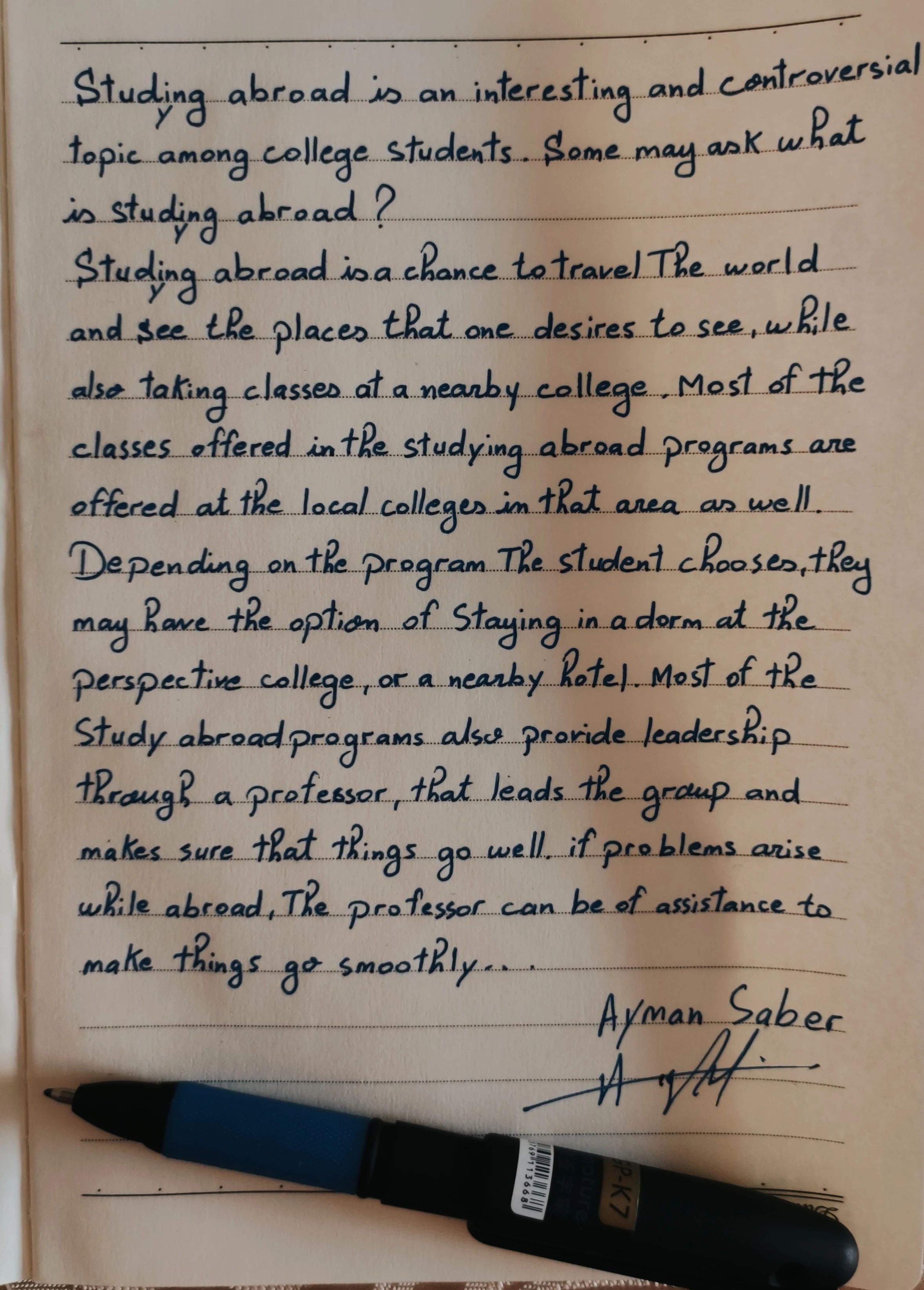
Recognizes cursive, print, and mixed styles.
Table Extraction
Converts drawn grids directly to Excel/CSV.
Team Workspace
Real-time editing and version control.
Getting Started
Create your workspace
Sign up at noteocr.com. If you are joining an organization, use your invite link.
Select conversion mode
At the top right of your dashboard, click Upload Image. Choose the right engine for your document type to maximize accuracy:
Best for lecture notes, essays, and letters.
Best for financial ledgers, inventory lists, and grids.
Edit transcribed document
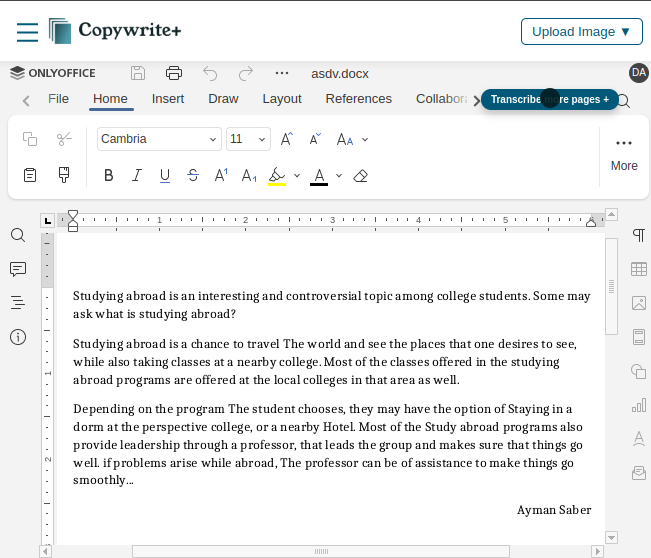
Our platform provides an inbuilt comprehensive editor similar to MS Word. Your transcribed formatted paper document is automatically placed in the editor for you to refine, adding content as needed while saving hours of retyping.
Handwriting Converter Engine
Our core technology utilizes deep learning to analyze stroke patterns. It can decipher legible cursive and block letters even in low-light conditions.
Export & Compatibility
NoteOCR generates standard files compatible with all your favorite tools. Simply download your converted documents and drop them anywhere.
Templates & Workflows
Don't just convert text, structure it. Use templates to automatically format recognized text into reports, patient forms, or study guides.
Meeting Notes
Medical Form
Legal Contract
Class Syllabus
Integrations & Roadmap
We are building connections to your existing ecosystem. Bi-directional sync is currently in development.
Developer API
Coming SoonWe are designing a robust REST API for programmatic conversions. [object Object] to get early access keys when we launch.
Building for Developers
We are crafting a powerful API to bring OCR capabilities to your applications.
Enterprise & Admin
Manage thousands of users with enterprise-grade controls.
SSO & SCIM
Configure SAML 2.0 with Okta, Azure AD, or OneLogin. Automated provisioning via SCIM ensures user access is always up to date.
Data Residency
Choose where your data is processed and stored: US-East (N. Virginia), EU (Frankfurt), or APAC (Singapore).
Billing & Plans
NoteOCR offers three tiers depending on your volume needs. All plans include our core handwriting recognition engine, but differ in processing limits, export formats, and advanced workflow automation.
Feature Comparison Matrix
| Feature Category | DocsPage.billing.starter | Pro | Business |
|---|---|---|---|
| Usage Limits | |||
| Monthly Page Volume | 50 | 200 | 1,000 |
Note on Usage Cycles: Page limits reset on the 1st of every billing month. Unused pages do not rollover to the next month. For "Business" plans, the Real-time Processing Queue ensures your documents skip the standard waiting line during peak server hours.
Still need help?
Our support team is available Mon-Fri, 9am - 6pm CET. We prioritize Pro and Enterprise tickets.