
Automate Handwritten Timesheets to Excel
Run payroll faster. Take a photo of your crew's handwritten timecards or shift logs, and our AI will extract employee names, dates, and hours directly into a formatted .xlsx spreadsheet.
Upload Handwritten Timesheet
Supports photos of crew logs, sign-in sheets, and paper timecards. We'll extract all the data accurately into a clean Excel sheet.
HandwrittenTimesheet.tool_upload_hint
Nicely arranged in rows and columns
Trained on messy, rushed handwriting
Ready for upload to your payroll system
From Paper Timecard to Digital Payroll
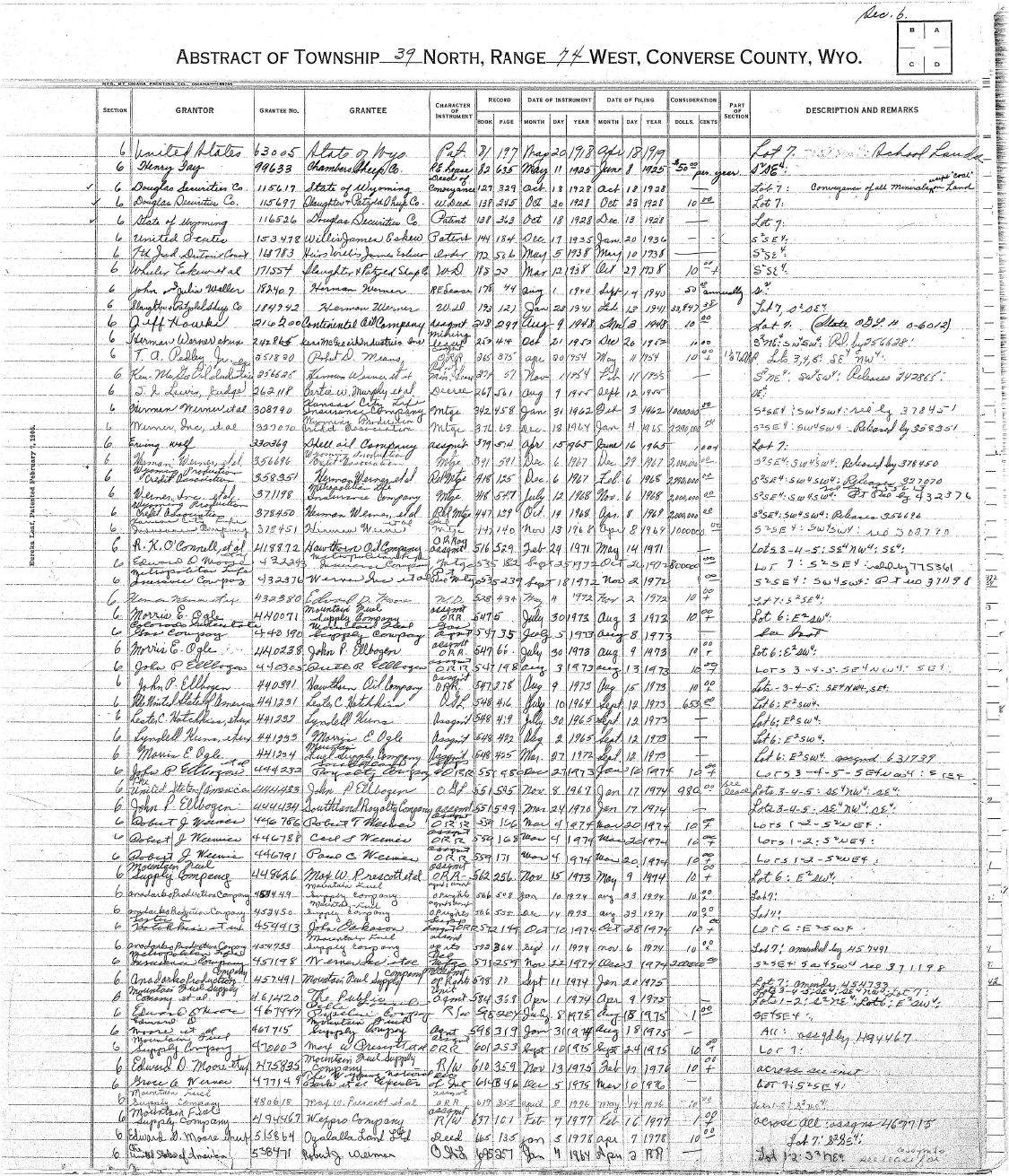
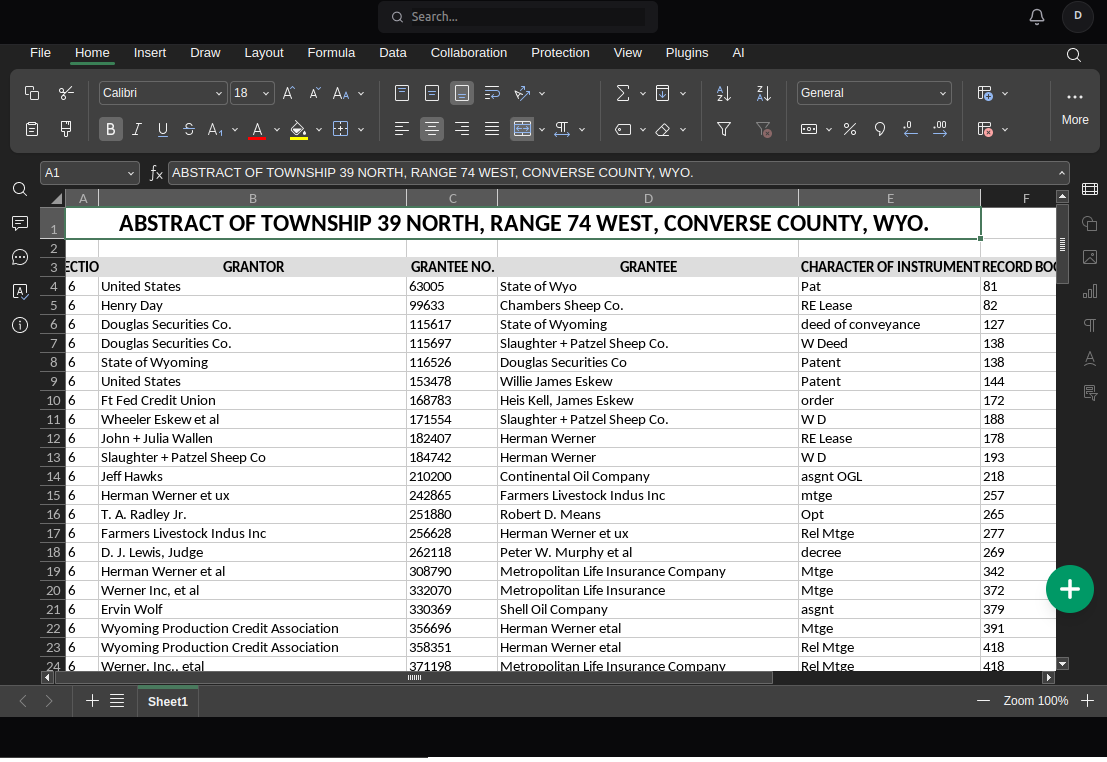
Watch our AI perfectly map messy handwritten hours into neat Excel rows.
Who Automates Timesheets with NoteOCR?
Built for industries that rely on physical paper for clocking in.
Construction & Trades
Digitize dirty, handwritten crew sheets from the job site. Extract employee names and daily hours into Excel before sending to accounting.
Restaurants & Hospitality
Convert weekly paper schedules, shift-swaps, and handwritten server clock-ins into a clean digital format for the general manager.
Landscaping & Field Services
Stop trying to decipher messy handwriting from your field workers. Snap a photo of their weekly log and instantly format it for payroll.
Healthcare & Nursing
Easily convert handwritten sign-in sheets and physical overtime logs from different hospital wards into searchable digital databases.
Payroll Data Entry Compared
Why manual timesheet entry is risky for your business.
| Method | Time Spent | Payroll Errors | Cost |
|---|---|---|---|
| Manual Typing | 2+ hours on Friday | High risk of typos | $25/hour admin labor |
| Standard OCR Scanners | 5 minutes | Messes up columns | Free |
| NoteOCR Timesheet AI | 30 seconds | Perfect row alignment | Free to Try |
Advanced Payroll Extraction
Trained specifically to read names, dates, and hours accurately.
Time Format Recognition
Our AI is trained to understand various time formats, whether your employees write 8:00 AM, 0800 military time, or simply 8.5 hours.
Column Alignment
Even if your employees write outside the lines, NoteOCR separates the Employee Name, Date, Clock-In, Clock-Out, and Total Hours into distinct Excel columns.
CSV Export for Gusto & ADP
Download your timesheet data as an Excel file, or export it as a CSV to seamlessly upload the hours into your preferred payroll software like QuickBooks, Gusto, or ADP.
How We Process Paper Timecards
Reading handwritten names and numbers on a smudged piece of paper requires advanced Optical Character Recognition. NoteOCR uses intelligent layout analysis to ensure the right hours are assigned to the right employee.
What Our AI Extracts
- Cursive and printed employee names
- Clock-in and clock-out times
- Decimals (e.g., 7.5 hours) and fractions
- Handwritten dates and days of the week
- Signatures and supervisor approvals
Tips for HR Managers
- Flatten folded timesheets before taking a photo
- Ensure good lighting so decimal points are visible
- Keep the camera directly above the sign-in sheet
- Tell employees to write their numbers clearly
- Always do a quick visual review before running payroll
More Business Automation Tools
Frequently Asked Questions about Timesheet OCR
1. How do I convert a handwritten timesheet to Excel?
Take a clear picture of the handwritten crew log or timecard. Upload the image file to NoteOCR. Our AI will identify the columns, read the names and hours, and generate a formatted Excel spreadsheet that you can download instantly.
2. Can it read messy handwriting from my field workers?
Yes. We specifically trained our neural networks on challenging, rushed handwriting from construction sites and field workers. While extremely sloppy writing might need a quick manual review in Excel, our engine handles it much better than standard OCR tools.
3. Will the Excel file calculate total overtime automatically?
NoteOCR extracts exactly what is written on the page. If the employee wrote '8 hours', it extracts '8'. It does not automatically calculate time differences (like subtracting 8:00 AM from 5:00 PM). However, once the data is in Excel, you can easily apply a simple formula to calculate those totals.
4. Can I import this data into Gusto, ADP, or QuickBooks?
Absolutely. NoteOCR gives you a clean tabular output. You can open the downloaded Excel file, quickly format the columns to match your payroll provider's template, and save the file as a CSV to import it directly.
5. Does it recognize different time formats (military vs AM/PM)?
Yes, our OCR engine is highly trained to recognize colons (8:30), AM/PM designations, military time (1400), and decimals (8.5 hrs) so your payroll data remains perfectly accurate.
6. Can it handle sign-in sheets with multiple employee names?
Yes! This is what the tool is built for. If you have a single sheet of paper with 20 different employee names and their hours listed below each other, NoteOCR will extract them all into 20 separate rows in Excel.
7. Is this timesheet to Excel converter free?
You can try NoteOCR for free to see how well it reads your team's specific handwriting. For businesses and HR managers processing payroll every week, we offer affordable professional packages.
8. Is my employees' data secure?
Security is our top priority. Your timesheets are uploaded using 256-bit SSL encryption. We do not store your employee documents or train our AI on your personal data. All files are automatically deleted shortly after conversion.
9. What if the timecard is dirty, smudged, or folded?
Our AI includes image preprocessing that attempts to flatten shadows and ignore background dirt or coffee stains. However, for the best data extraction, try to wipe the camera lens and flatten the sheet before taking the photo.
10. What if my crew just wrote their hours on blank notebook paper?
That's not a problem. Our engine detects implicit tables based on spatial alignment. If the names are on the left and the hours are on the right, NoteOCR will automatically format them into correct Excel columns.
Stop Typing Out Employee Hours.
Let AI do your Friday data entry. Upload your first timesheet now.
Convert Timesheet to Excel